We show the whole system. Judge for yourself.
Real screenshots, two open demo environments and a published price list. This is what Skolshield looks like from the inside — from incident report to student health team decision.
From event to action — how it fits together
An incident becomes a case, the case is raised at the student health team meeting, and everything lands on the student page. The screenshots below are taken straight from the demo environment.
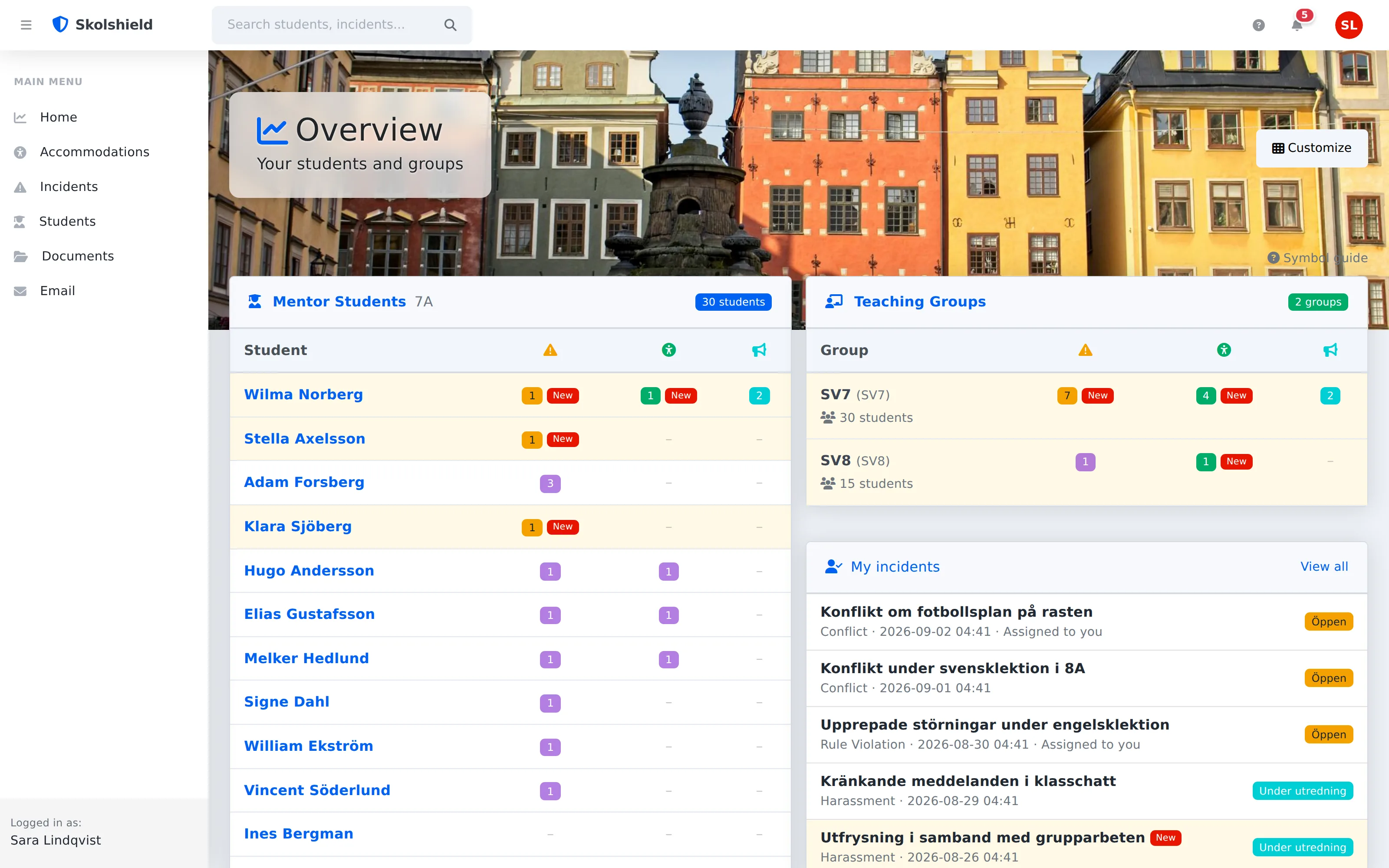
Your day on one screen
The landing page shows what matters to your role: mentor students with unread events, teaching groups and your own cases. Yellow rows = new since your last visit. No digging through folders.
- Role-based cards
- Unread is flagged automatically
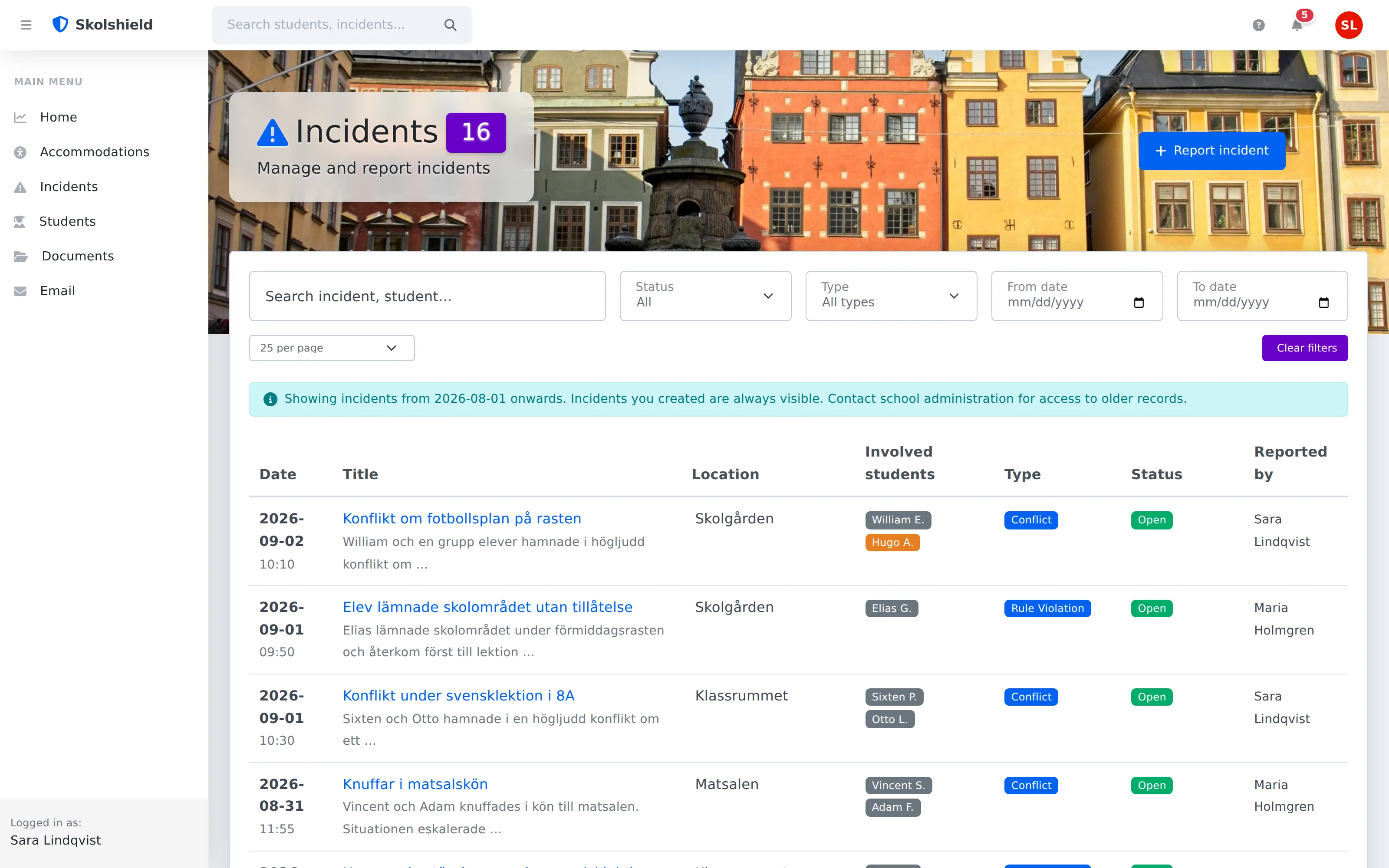
Report in under a minute
Hallway conflict, rule violation, degrading treatment — report straight from your phone while it's fresh. Status, follow-up dates and notifications mean no case falls through the cracks.
- Mobile-friendly quick reporting
- Automatic notifications
- Cases cannot get lost
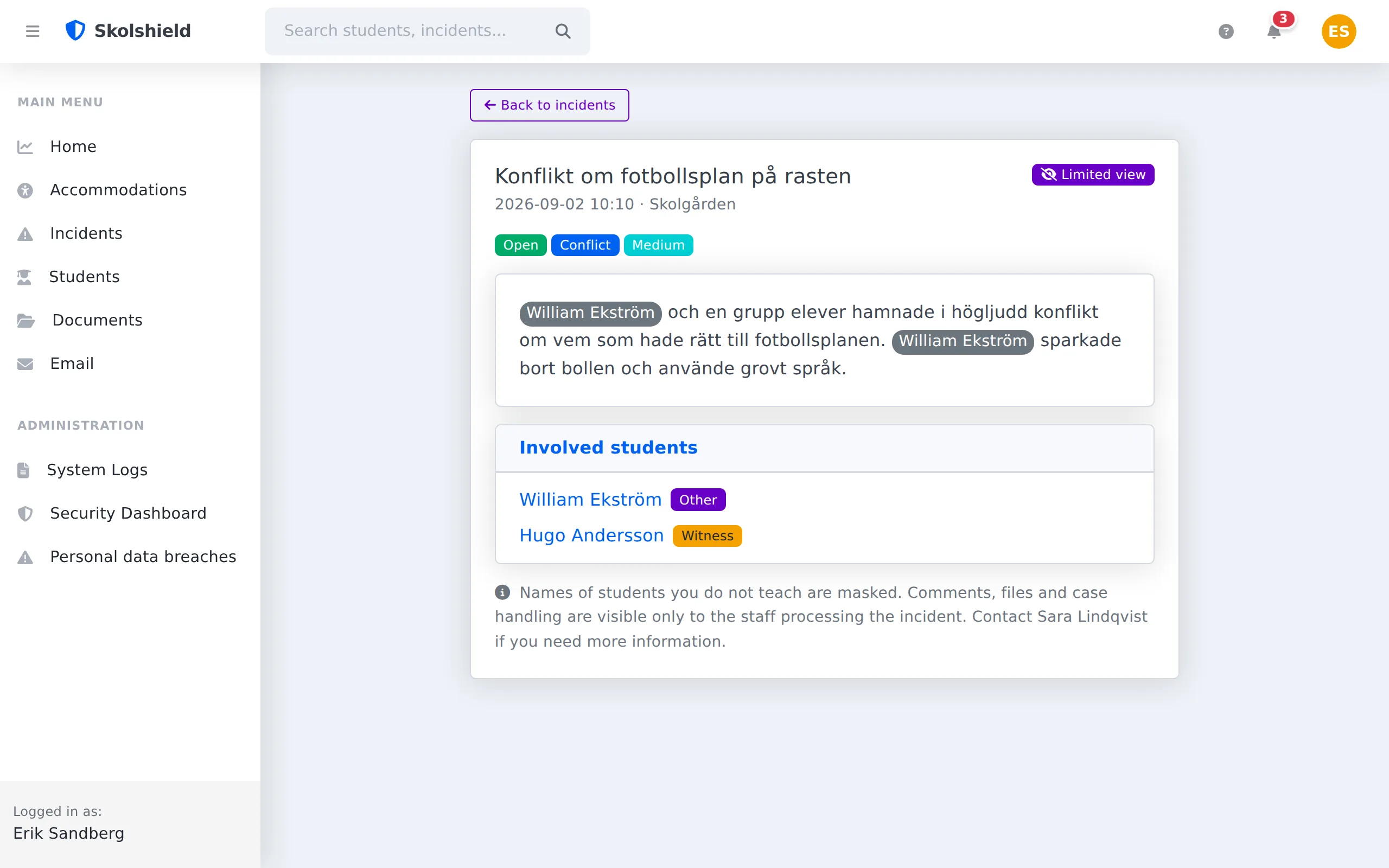
The same event, two views
A teacher who is only involved through their teaching sees a limited view: what happened, when, and their own students by name. The names of students they do not teach are masked on the server, and comments, files and guardian contact stay with the handlers. School leadership, handlers and mentors see everything and control what is shared.
- Masking per viewer
- Sharing controls
- Logged access
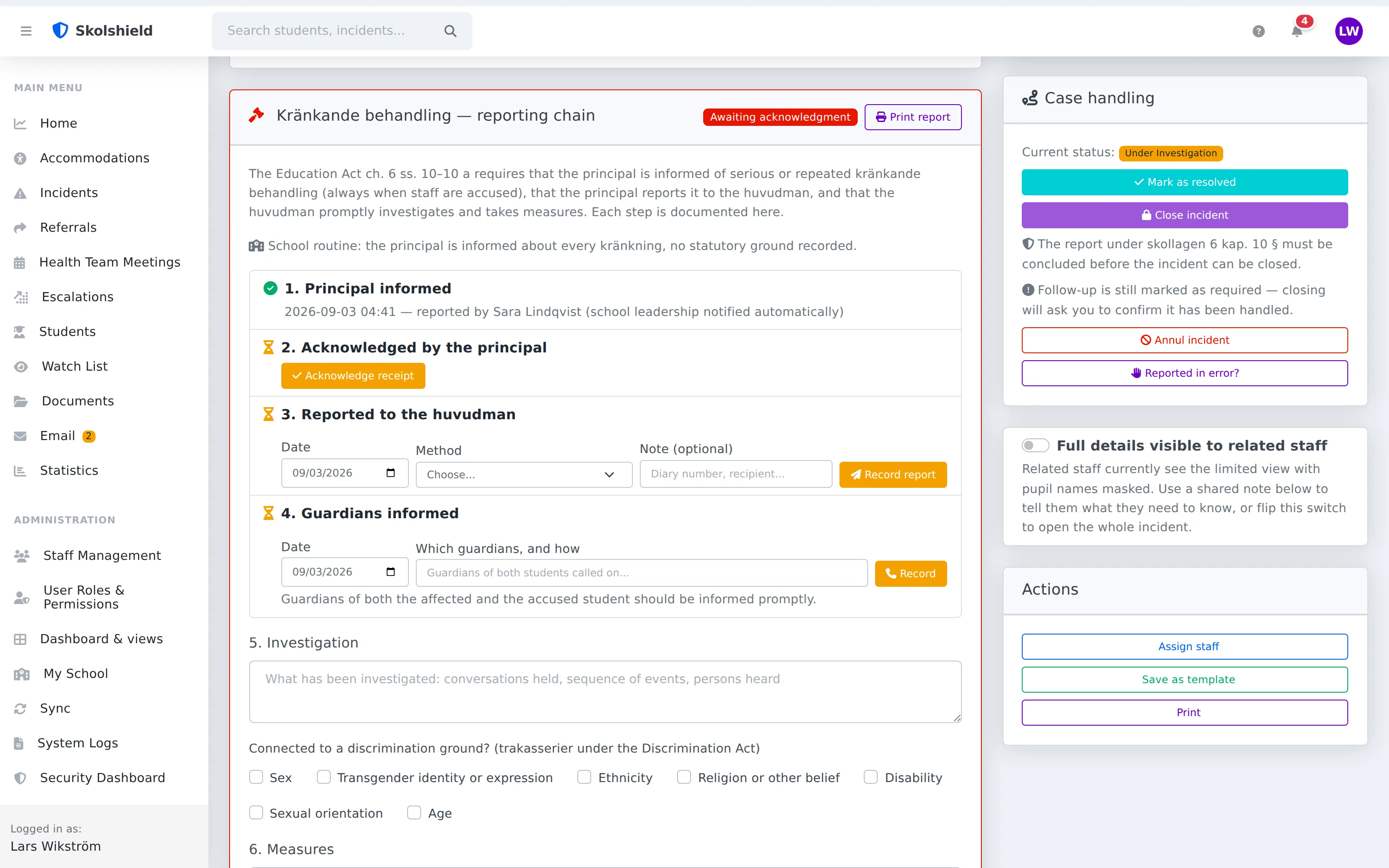
Ch. 6: from grounds to the responsible authority
The reporter states the grounds (serious, repeated, or a member of staff being accused), the principal acknowledges, the report to the responsible authority is logged and the material can be printed. The repeat check shows earlier events involving the same students. A one-off handled on the spot is recorded without paperwork. Updated for the 1 August 2026 amendment.
- Grounds stated in the form
- Principal's acknowledgment
- Responsible authority's inbox
When more than a note is needed
Serious or recurring events are escalated to a case with the student health team — with priority, assignment and complete history. The case is tracked until it's resolved, not until someone forgets it.
- Created straight from an incident
- Traceable all the way
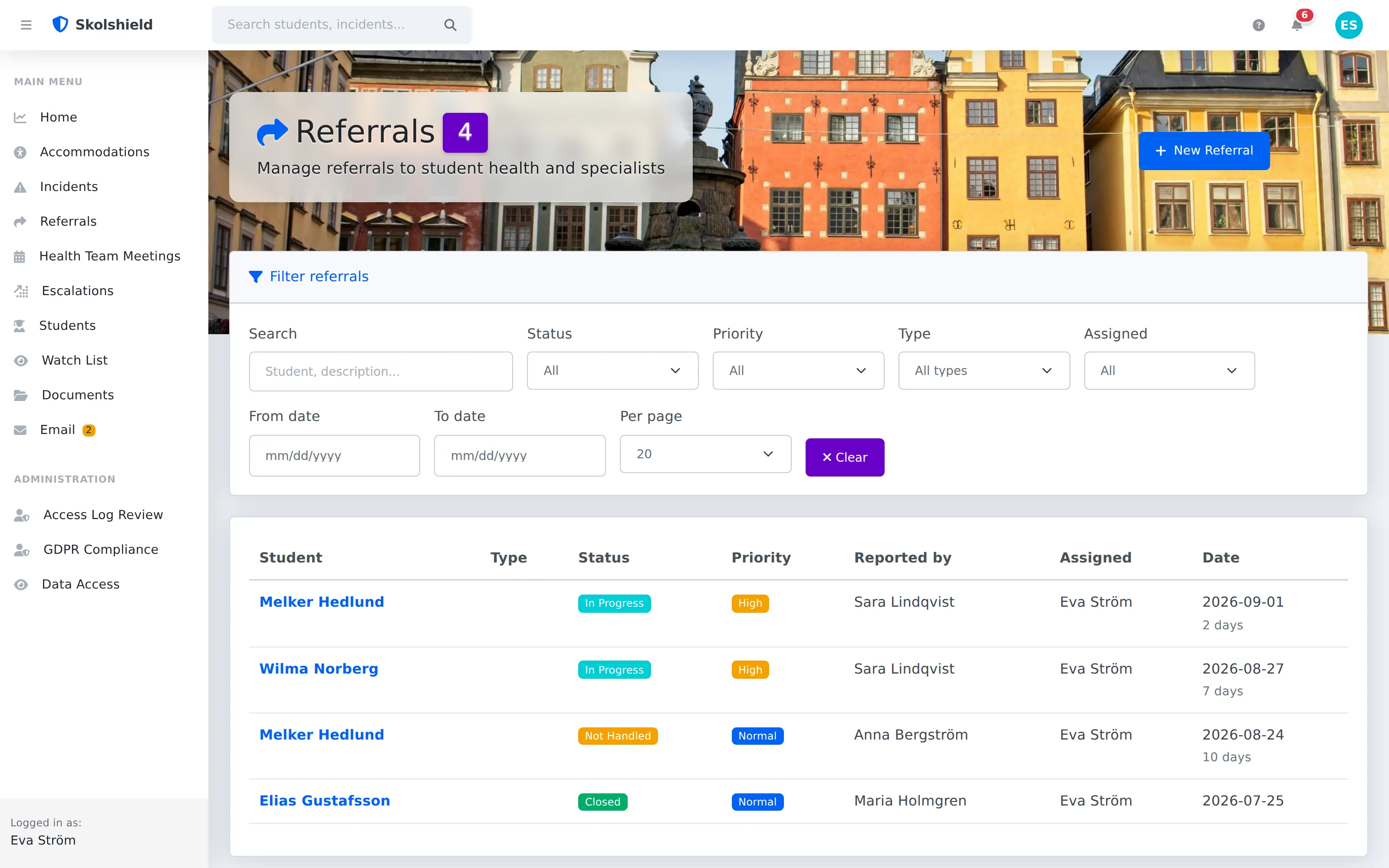
The meeting that documents itself
The agenda pulls in open cases. Decisions and actions are minuted on the spot and land with the right people — with calendar invites and Teams links via Microsoft 365.
- Agenda from open cases
- Decision → action → follow-up
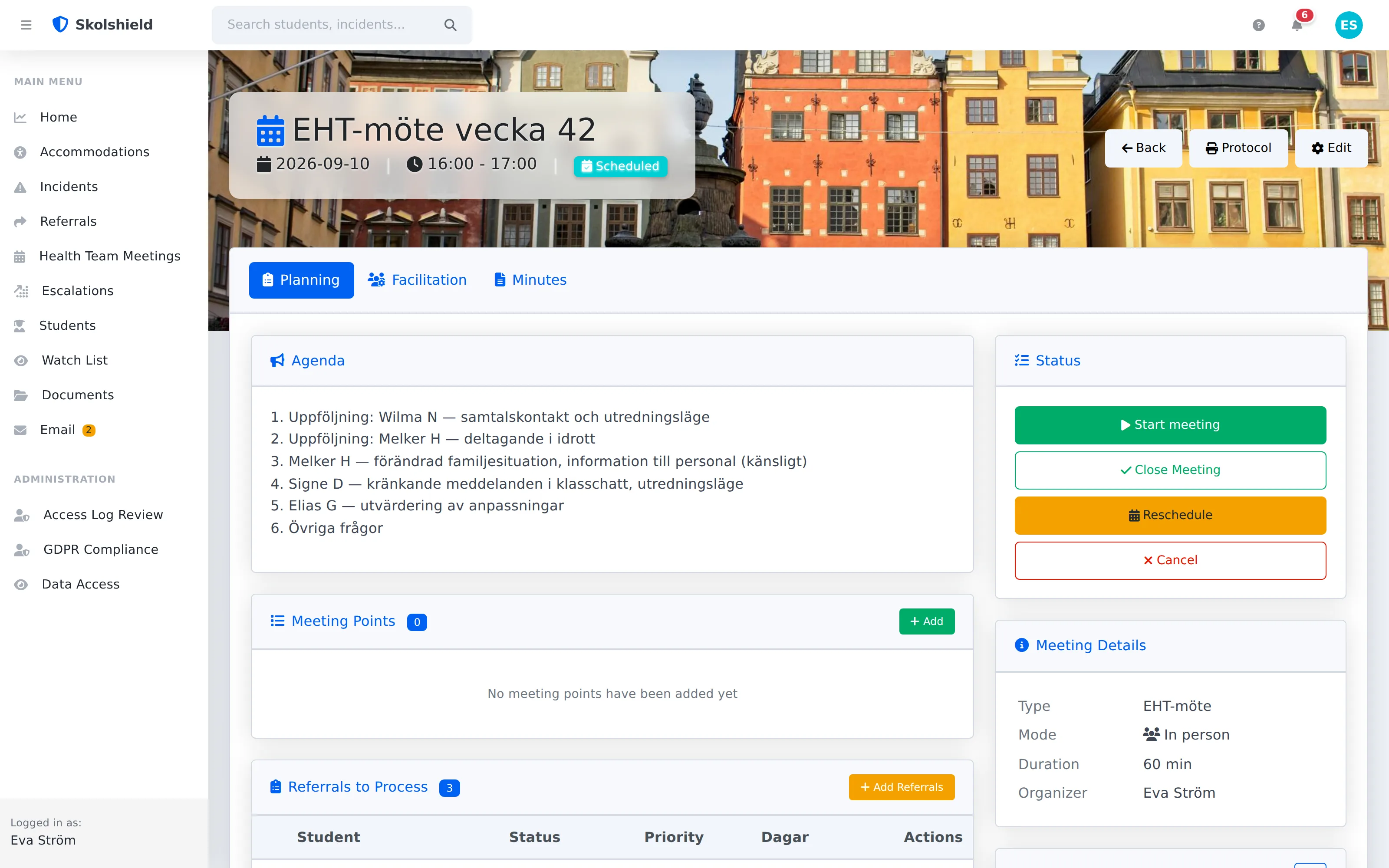
Everything lands on the student
Incidents, cases, meeting decisions, accommodations, documents and guardians — gathered on one page instead of scattered across email threads and binders. Synced automatically from your student information system.
- Automatic sync via SS12000
- The full history in one place
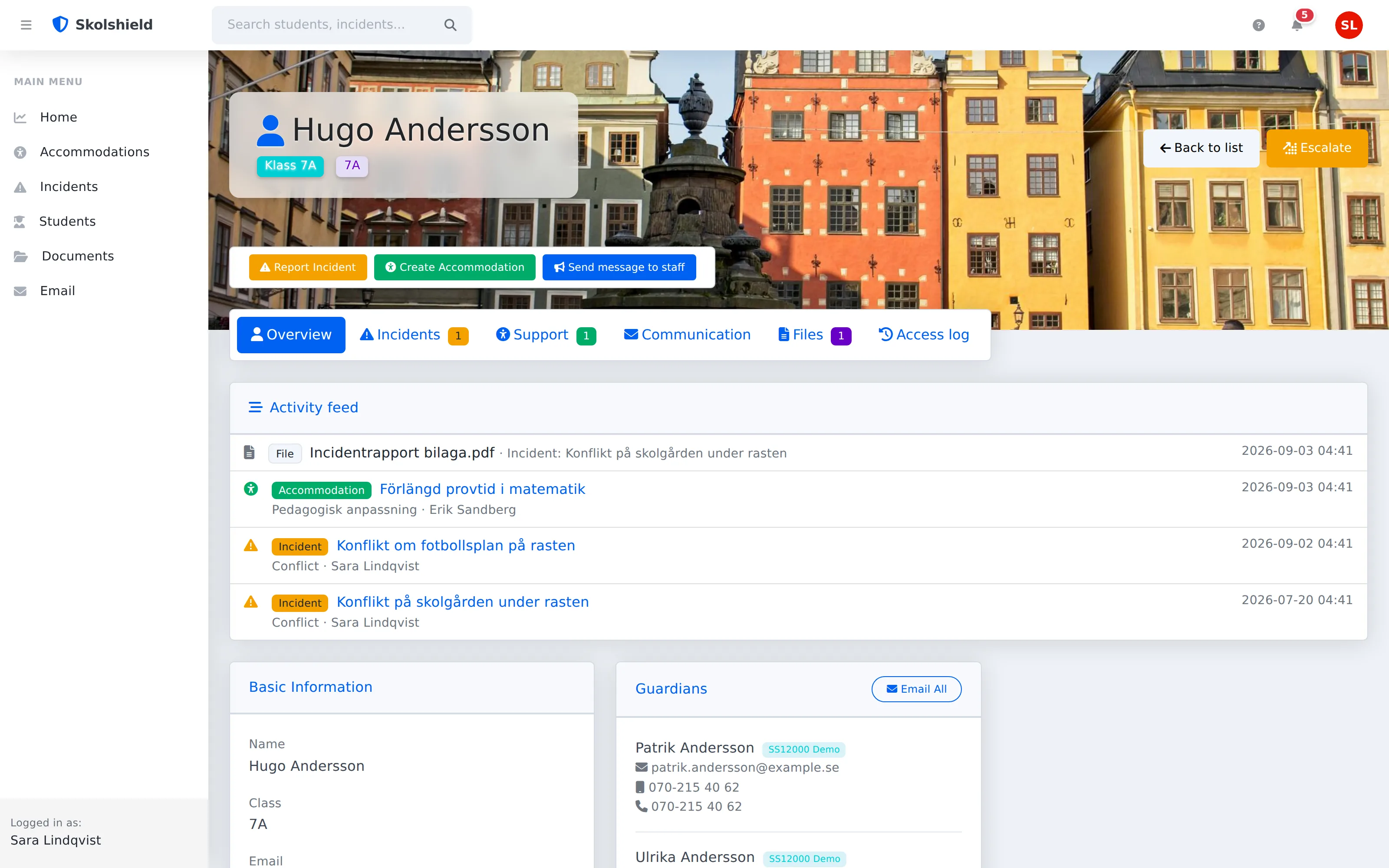
Who saw what, and when?
Every opened student record, every downloaded file, every printout is logged with user and timestamp. That's GDPR compliance you can demonstrate — not just promise.
- Complete Audit Trail
- Includes SharePoint file access
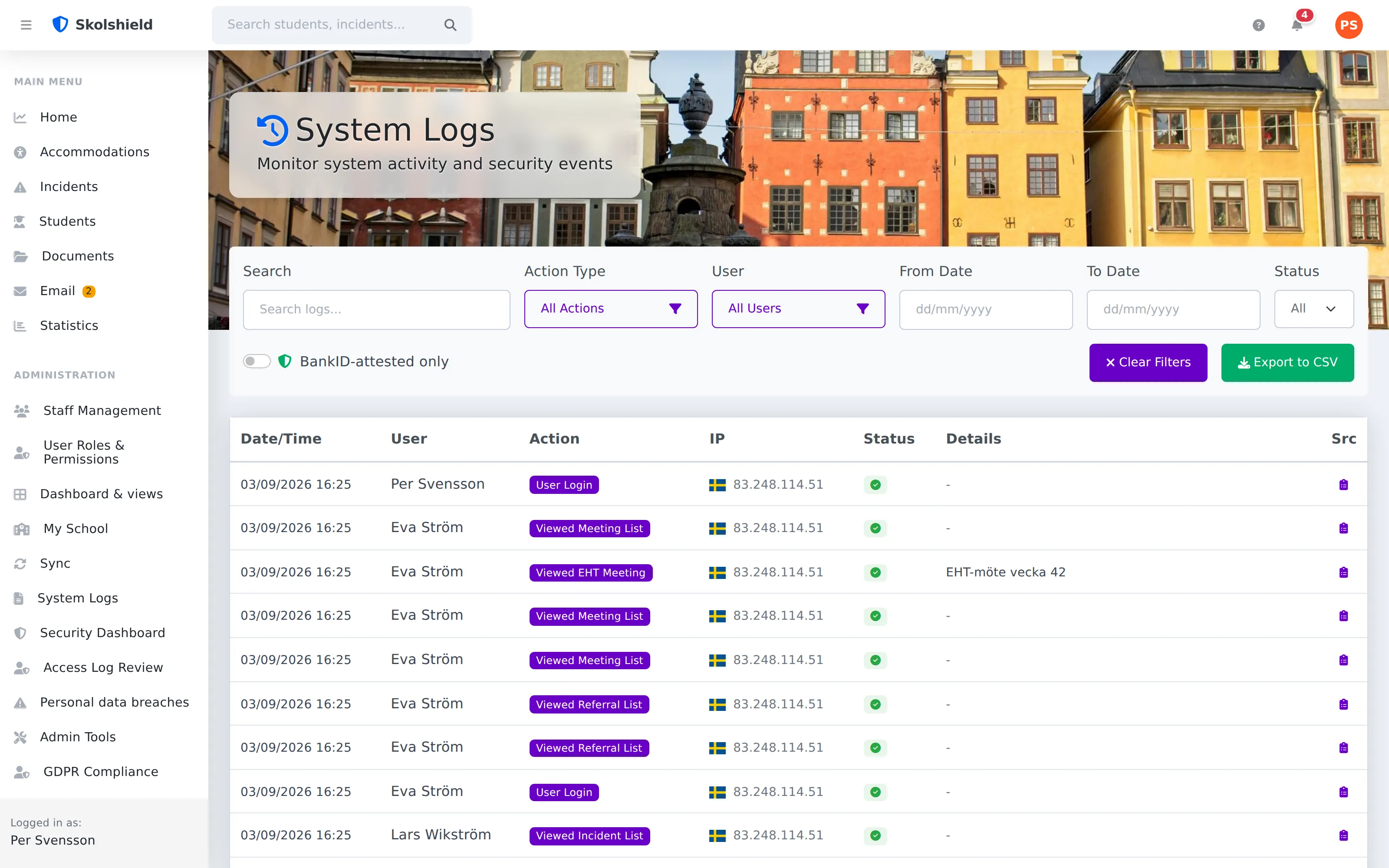
The right level for the right role
The Microsoft 365 account as the base. You then choose per role how a locked session is reopened, from a PIN to BankID at assurance level 3: the class teacher signs in as usual, student health and school management get the extra step. Each level is described further down the page.
- Passkeys
- Microsoft Authenticator
- One-time code (TOTP)
- PIN code
- BankID, assurance level 3
- Google Workspace: planned
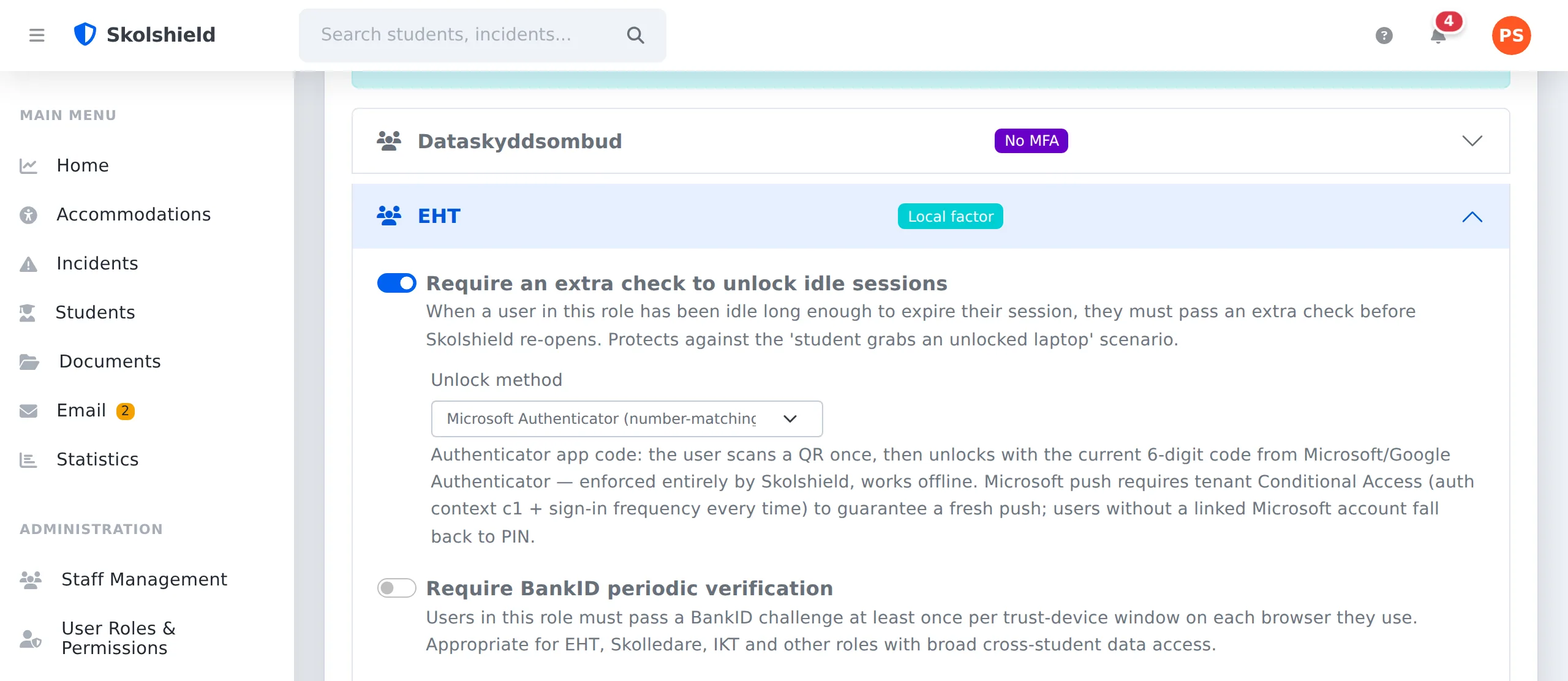
Click the image to enlarge
How sign-in works, level by level
The Microsoft 365 account as the base, Google Workspace planned. You then choose per role how a locked session is reopened: PIN, one-time code, or the Microsoft step directly against your tenant with an Authenticator push or the school's passkeys (Windows Hello, Face ID, Touch ID, security key). BankID at assurance level 3 goes on top. The class teacher signs in as usual, student health and school management get the extra step. No two-factor vendor to procure, nothing extra on the invoice. The Microsoft step requires Entra ID P1, included in Microsoft 365 A3 and A5.
Illustration of the flow: the session locks after inactivity, Microsoft sends a push to the user's phone and the number on screen must be matched in the app. The password is never retyped.
-
Microsoft 365 as the foundation
The same account as email and Teams, the same Conditional Access that IT already manages. No new passwords to forget. Google Workspace sign-in is planned.
-
PIN for the session lock
The base level, without any licence: the screen locks after inactivity and reopens with a short PIN instead of a new sign-in. No phone needed, and anyone without a Microsoft account always lands here.
-
One-time code (TOTP)
Session lock for computers left unattended. Scan a QR code once, then unlock with the six-digit code from Microsoft Authenticator, Google Authenticator or any other app. Works without mobile coverage.
-
Microsoft Authenticator with number matching
One tap on the phone: the user matches the number on screen, and only the person holding the phone can unlock. The push goes directly through your own Entra tenant, with no third party in between. Requires Entra ID P1, which is included in Microsoft 365 A3 and A5 and which most municipalities already have. Without the licence, the one-time code serves as the extra step instead.
-
Passkeys: Windows Hello, Face ID, Touch ID or a security key
If the school has passkeys on its Microsoft accounts they work straight through: the same fingerprint, face or key that opens Teams and Outlook opens Skolshield, at sign-in and in the same Microsoft step as the push when a locked session is reopened. Anyone who has just verified with a passkey at Microsoft is not asked again. Skolshield stores no passkey of its own; devices are added and removed at Microsoft.
-
BankID, assurance level 3
For student health, school leadership and IT, or wherever you choose to set the bar. Signed through your own bank agreement with no markup, or as a managed add-on.
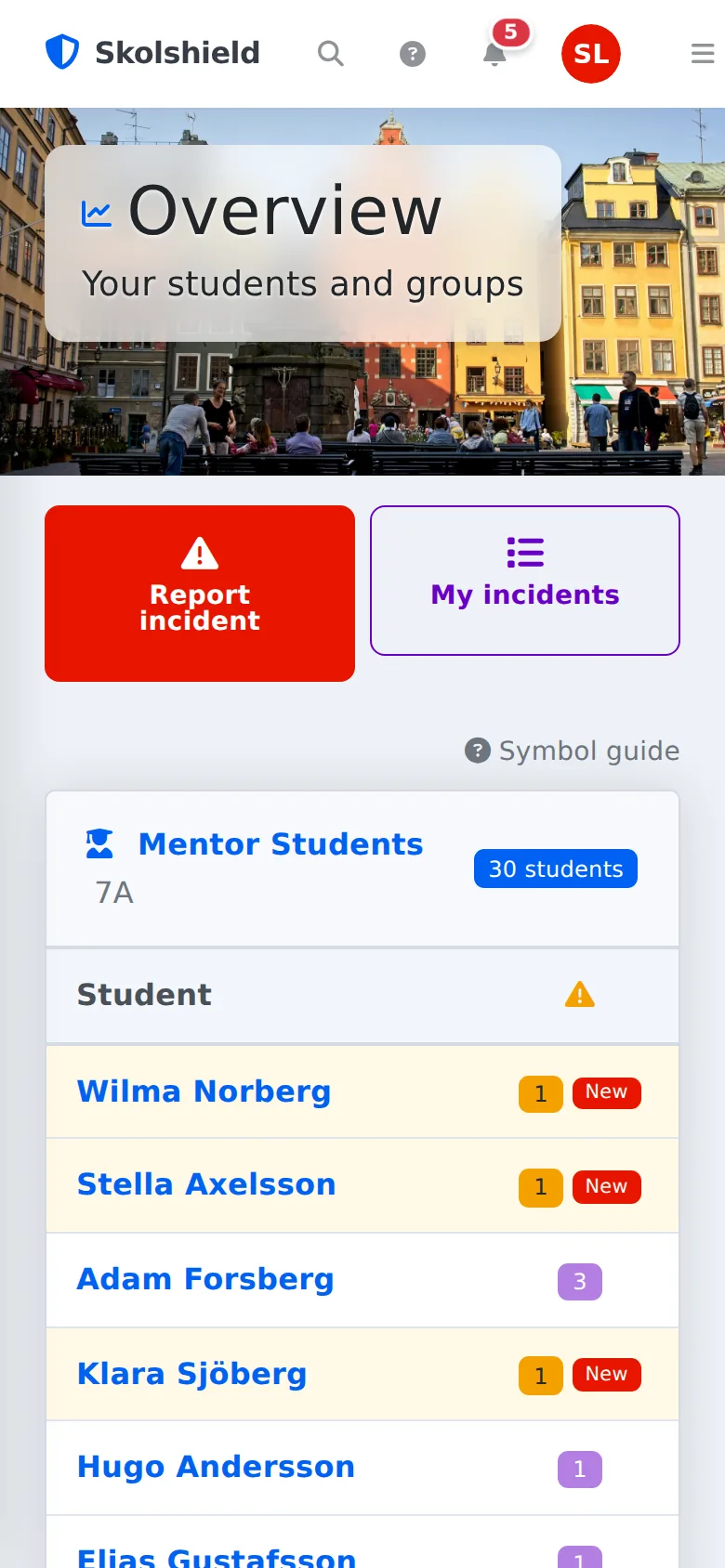
Built for the hallway, not just the office
Incidents don't happen at a desk. The mobile view has big quick-report buttons, compact lists and the same full feature set — no separate app to install.
- Report right there at recess
- No app — works in the browser
- Notifications on your phone
Don't take our word for it. Log in.
The demo environments are open: pick a role on the sign-in page and click — no registration, nothing to fill in. The school demo shows everyday work as a teacher, mentor, student health team, school leadership or IT; sign in as a teacher to see the limited incident view. The municipality demo adds the central level: aggregated overviews, escalated cases, the responsible authority's inbox and access-log review.
- Fictional students from a made-up student register — no real personal data
- Resets automatically every night — click, change and test freely
- The same system we deliver — not a staged showcase
- The demo environments run without MFA, for obvious reasons: the sign-in is an open role picker. If you want to see number matching with your own accounts we show it live, or set up a dedicated demo environment connected to your tenant where you sign in as yourselves.
Seen enough? Run the numbers.
The price list is published — compare it with what you pay today.